Key Takeaways
- eSIMs are the ultimate convenience: If your phone is unlocked and supports eSIM technology, this is the easiest way to get online the moment your plane touches down in Tokyo or Osaka. You buy it online, scan a quick code, and you are ready to go.
- Pocket Wi-Fi is perfect for groups and multiple devices: If you are traveling with family, carrying a laptop, or have an older phone that is locked to a specific carrier, renting a portable Wi-Fi router lets everyone share a single, strong connection.
- Physical SIM cards offer reliability for older phones: If your device does not support electronic SIMs but is unlocked, swapping in a local physical plastic card gives you a direct connection to Japan’s top networks.
- Check your phone’s lock status before you pack: None of these local options will work if your home mobile provider has locked your device. Call them up and request an unlock before you start your journey.
- Data-only plans are the standard for tourists: Most tourist options do not include a traditional Japanese phone number for making regular voice calls due to strict local laws. You will use internet-based apps like WhatsApp, FaceTime, or Line to stay in touch.
Imagine stepping off your plane into the bright lights of Tokyo. You need to find your train, translate a street sign, and send a quick message to your family to let them know you arrived safely. To do all of that, your phone needs an internet connection the second you step foot in Japan. Navigating a brand new country is a massive adventure, but it becomes much simpler when you have maps, translation tools, and travel guides right in your pocket.
Getting online in Japan is no longer a confusing puzzle. Today, you have incredible options ranging from digital cards that activate in seconds to small pocket-sized routers that you can share with your whole group. This guide will walk you through every single step of getting a cell phone data plan or an eSIM for your big Japanese adventure. We will break down the choices, compare the costs, and help you pick the exact setup that fits your style and your budget.
Understanding Your Options: The Big Three Tech Choices
When you look into staying connected in Japan, you will quickly find that the choices fall into three major categories. Each one has its own special strengths, and the right choice depends heavily on what kind of phone you have and how you like to travel. Let us look closely at these three main pathways so you can see which one feels like the perfect match for your upcoming vacation.
The Modern Magic of eSIMs
An eSIM is an electronic or digital SIM card. Instead of sliding a tiny piece of plastic into the side of your phone, you download a digital profile over the internet. This profile tells your phone how to connect to a local Japanese wireless network. It is incredibly popular because you can buy it and set it up while you are still sitting on your couch at home.
When you land in Japan, you simply flip a switch in your phone settings, and you instantly connect to the local towers. You do not have to wait in any long lines at the airport, and you do not have to worry about losing your original home SIM card because it stays safely inside your phone the entire time.
The Tried-and-True Physical SIM Cards
If your phone is a bit older or does not support digital SIM technology, a traditional physical SIM card is your go-to option. This is the classic little plastic chip that you pop into your phone’s tray. When you buy a tourist SIM for Japan, you temporarily take out your home country’s card, put it in a safe spot, and slide the Japanese card in.
You can buy these at major Japanese airports, electronics mega-stores, or even have them shipped to your house before you leave. They are highly reliable and work with almost any unlocked phone in the world.
The Pocket Wi-Fi Router Solution
A pocket Wi-Fi router, often called a rental hotspot, is a small device about the size of a deck of cards. It connects to the Japanese cellular networks and broadcasts a private Wi-Fi signal all around you. You connect your phone, tablet, or laptop to it just like you would connect to your home Wi-Fi network.
This option is fantastic if you are traveling with a group of friends or family because multiple people can connect to the same box at the same time. It is also the ultimate backup plan if your phone is locked to your home carrier and cannot accept a new SIM card.
The Ultimate Compatibility Check: Is Your Phone Ready?
Before you spend a single dollar on a Japanese data plan, you must perform a quick check on your device. If you skip this part, you might buy a plan that looks amazing on paper but refuses to work when you actually arrive. Let us look at the two critical things your phone needs to pass the Japan readiness test.
The Locked vs. Unlocked Dilemma
This is the absolute most important rule of international travel tech: your phone must be unlocked. When you buy a phone from a cell provider on a monthly payment plan, that provider often locks the phone so it can only use their specific network. If your phone is locked, it will completely reject any Japanese SIM card or eSIM you try to install.
To check your status, you can look deep in your phone’s settings menu under the about phone section, or you can simply call your current cell phone provider and ask them directly. If it is locked but you have paid off your device, your provider can unlock it for you over the air in just a few minutes. Make sure to do this at least a week before your trip.
Frequency Bands and Japanese Networks
Cell phone networks around the world use different invisible highway lanes called frequency bands to send signals to your device. Japan’s major phone companies use specific bands that are sometimes different from the ones used in North America or Europe.
Most modern smartphones made in the last few years are global devices, meaning they have the inner parts needed to talk to almost any network in the world. However, if you are using an older budget phone, it might struggle to pick up certain signals in Japan, especially when you travel deep into the beautiful countryside or up into the mountains. Checking your phone’s exact model number online against Japanese network bands ensures you will stay connected everywhere.
Deep Dive into Japan eSIMs: The Digital Traveler’s Best Friend
If you have a modern smartphone, using a digital eSIM is arguably the most streamlined way to get internet in Japan. Let us explore exactly how this technology operates, the top companies selling them, and how to get one up and running without any stressful headaches.
How Does an eSIM Actually Work?
Think of a standard SIM card as a physical key to a house. An eSIM is like a smart-lock code that you receive on your email. Your phone contains a tiny microchip inside of it that can mimic any SIM card in the world.
When you buy an eSIM plan, the company sends you a special code, usually in the form of a square QR code. Your phone reads that code, programs the internal microchip to act like a Japanese tourist chip, and establishes a secure connection to local cell towers.
Top Providers for Japan Tourist eSIMs
There are several highly rated companies that specialize in providing digital data plans for international travelers visiting Japan. They all offer different amounts of data and varying lengths of time, so you can find one that fits your itinerary perfectly.
- Airalo: This is one of the most famous global providers. Their Japan plan is called Moshi Moshi. They offer very clear, transparent bucket sizes, such as 1, 2, 3, 5, 10, or 20 gigabytes of data. Their smartphone app is incredibly user-friendly and allows you to track your data usage in real-time.
- Ubigi: Known for having lightning-fast data speeds in Japan because they work directly with top-tier local networks. They offer both short-term buckets and unlimited daily plans, making them a favorite for heavy internet users who love to stream video or upload high-resolution travel clips.
- Holafly: If you do not want to ever count your gigabytes or worry about running out of data mid-day, this provider specializes in completely unlimited data packages. You choose the exact number of days for your trip, and you can browse as much as you want without any hard caps.
- Nomad: Another excellent app-based provider that frequently runs great sales. They offer flexible data amounts and have a reputation for top-notch customer support if you happen to get stuck during the setup phase.
Step-by-Step Guide to Installing Your Japan eSIM
Setting up your digital card is a smooth process, but timing is everything. You want to do the heavy lifting while you are still hooked up to your fast internet connection at home.
1. Purchase your plan: Go to your chosen provider's app or website a few days before your flight and buy the Japan data package that matches the length of your stay.
2. Scan the code: Open the email containing your QR code using a computer or tablet, then take your phone and scan it through your cellular settings menu.
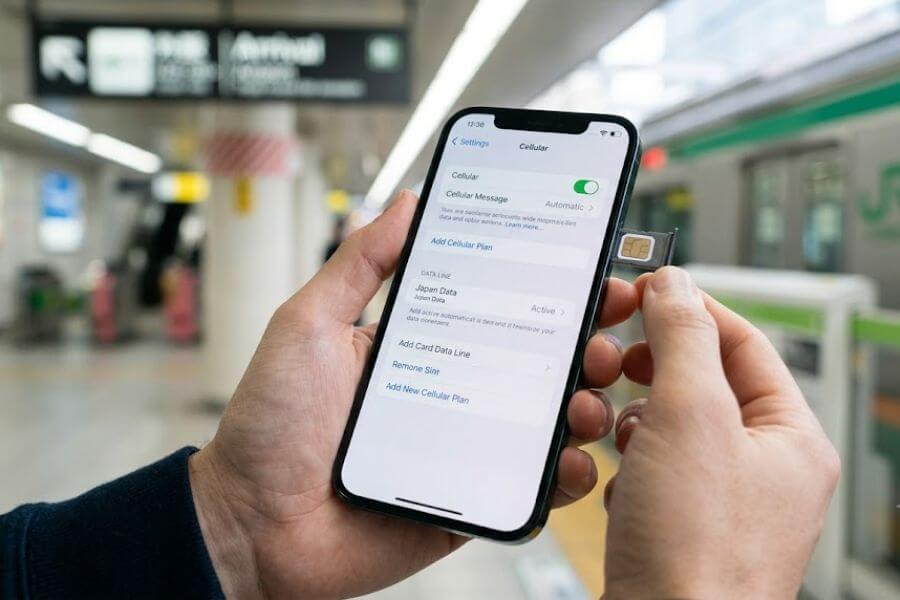
3. Label your plans: Give your new digital card a clear name like "Japan Data" and label your everyday home plan as "Primary" so you never confuse the two.
4. Turn off data roaming on your home line: This is a critical step to avoid accidental, massive charges from your home phone provider while you are away.
5. Activate upon arrival: When your plane lands in Tokyo or Osaka, open your cellular settings, turn on your Japan data line, and select it as your main source for cellular data.
Physical SIM Cards: The Reliable Classic Choice
Maybe your phone does not support digital cards, or perhaps you just prefer having a tangible piece of tech that you can see and touch. That is totally fine. Physical tourist SIM cards remain incredibly popular, highly reliable, and widely available across Japan.
What to Expect with a Tourist SIM
When you buy a physical SIM card made specifically for tourists, you are purchasing a data-only package. These cards do not require you to sign a long contract or show a mountain of legal paperwork.
They usually come in three different sizes: standard, micro, and nano. Modern cards are designed as a three-in-one punch-out card, meaning you can snap out the exact size that fits your specific phone model.
Where to Buy a Physical SIM Card in Japan
You have a few great choices on where to pick up your plastic card, depending on whether you want the peace of mind of having it early or prefer to buy it on the ground.
- At the Airport: Every major gateway into Japan, including Narita, Haneda, Kansai, and Fukuoka airports, is packed with options. You will see dedicated vending machines, official provider counters, and convenience stores selling tourist SIM cards right in the arrivals hall.
- Electronics Mega-Stores: If you skip the airport, you can head into any major city and look for massive stores like Yodobashi Camera or Bic Camera. These multi-story tech havens have massive sections dedicated entirely to tourist communication tools, and the staff can often help you install it.
- Ordering in Advance: If you love being ultra-organized, you can order a Japanese physical SIM card online weeks before your trip and have it mailed directly to your home address. This allows you to pack it securely in your wallet before you even head to the airport.
How to Install and Activate a Physical SIM
Replacing your SIM card takes just a minute, but you need to be careful not to lose your tiny home country card.
1. Power down your phone: Always turn your smartphone completely off before popping open the card tray to protect its internal circuits.
2. Use the ejector tool: Take a small metal paperclip or the metal tool that came in your phone's original box and press it firmly into the tiny pinhole on the side of your phone.
3. Swap the cards: Carefully remove your home SIM card, place it in a safe compartment in your travel wallet, and put the Japanese tourist SIM into the plastic tray.
4. Push the tray back in: Slide the tray back into the phone until it clicks shut, then power your device back on.
5. Configure the APN settings if needed: Some older phones require you to type a few short network codes into your settings to tell the phone exactly how to talk to the Japanese network towers. The instructions inside the SIM packaging will guide you through this.
Pocket Wi-Fi: The Ultimate Group Connectivity Hub
For certain kinds of travelers, renting a small, dedicated pocket Wi-Fi device is much better than messing with any kind of SIM card. Let us look at why this little gadget might be the absolute best choice for your upcoming vacation.
The Big Advantages of Going with a Hotspot Box
The biggest selling point of a pocket Wi-Fi router is total simplicity. You do not have to change any settings inside your phone, you do not have to worry about whether your phone is carrier-locked, and you do not have to check any technical frequency bands.
If your phone can connect to regular Wi-Fi at a coffee shop, it can connect to a pocket Wi-Fi box. Furthermore, it creates a personal bubble of internet that travels with you, allowing your friends, your family, and your laptop to all stay online simultaneously using a single rental agreement.
Prominent Pocket Wi-Fi Rental Companies
Japan has a highly developed market for these rentals, and a few key companies stand out for their stellar reputation and excellent English customer service.
- Ninja WiFi: One of the most recognizable brands in the country. They offer incredibly robust daily rates, use stellar high-speed networks, and have pick-up and drop-off counters at almost every single airport in Japan.
- Japan Wireless: Highly rated for providing completely unlimited packages with zero data slowdowns. They include a free extra battery bank with many of their rentals, which ensures your pocket router stays powered up from your early morning shrine visits until late-night sushi dinners.
- FoxLoco Wireless: A great budget-conscious provider that focuses on offering affordable rates for longer trips, making them a wonderful option if you plan to explore Japan for three weeks or more.
Pick-up and Return Logistics Made Simple
The rental process for a pocket Wi-Fi router is beautifully streamlined by Japanese hospitality. When you book your device online before your trip, you get to choose exactly where you want to collect it. You can pick it up at a designated counter at the airport the moment you land, or you can have the company mail the package directly to your first hotel’s front desk so it is waiting for you when you check in.
When your wonderful vacation comes to an end, returning the device is completely stress-free. The rental kit always comes with a pre-paid, pre-addressed return envelope. You simply place the router, the charging cable, and the extra battery pack into the envelope, seal it up, and drop it into any standard red mailbox on the street or at the airport terminal before you pass through security for your flight home.
Comparing the Options Side-by-Side
To help you visualize which route is the best fit for your wallet and your travel style, let us look at a comprehensive comparison layout of these three popular connectivity methods.
Quick Comparison Table
| Feature | Digital eSIM | Physical SIM Card | Pocket Wi-Fi Router |
| Installation Difficulty | Very low (software scan) | Low (hardware swap) | Zero (standard Wi-Fi login) |
| Device Requirements | Modern, unlocked phone | Any unlocked phone | Any device with Wi-Fi capability |
| Risk of Losing Home SIM | None (stays in phone) | High (must store carefully) | None (no phone adjustments) |
| Multiple Device Support | Single device only | Single device only | Connects 5 to 10 devices at once |
| Battery Impact on Phone | Standard daily usage | Standard daily usage | Saves phone battery |
| Physical Weight to Carry | Absolutely nothing | Absolutely nothing | Small pocket box plus charger |
The Network Giants: Who actually runs the towers?
No matter which company you buy your eSIM, SIM card, or pocket Wi-Fi from, they are all utilizing the physical infrastructure built by Japan’s massive major telecommunications corporations. It helps to understand who these giant networks are so you can recognize their names on your screen.
NTT Docomo
This is the historic titan of Japanese communications. Think of them as the largest, most well-established network in the nation. They have an unparalleled footprint across the country.
If your travel itinerary involves hopping off the bullet train to explore ancient mountain trails, remote villages in Hokkaido, or hidden beaches in Okinawa, choosing a plan that runs on the Docomo network ensures you will have strong coverage where other networks might fade out.
SoftBank
SoftBank is an incredibly innovative, hyper-popular network that offers fantastic, blistering-fast speeds inside major urban areas.
If your vacation is focused mostly on walking through the neon streets of Tokyo, exploring the historical alleys of Kyoto, or eating through the food markets of Osaka, SoftBank provides an incredibly stable, rock-solid urban connection that excels at handling high-volume data traffic.
KDDI (au)
Often referred to simply as au, this is another massive network provider that offers an exceptional balance of fast city speeds and reliable countryside coverage. They are highly respected, their infrastructure is incredibly modern, and any travel plan that utilizes their towers will deliver a top-tier internet experience for your daily browsing needs.
Data Needs: How Many Gigabytes Do You Actually Need?
One of the most common dilemmas when buying a travel data plan is figuring out exactly how much data you will use each day. You do not want to pay for a massive expensive package if you barely use it, but you also do not want your internet to cut out right when you are trying to find your way back to your hotel at midnight. Let us map out common travel habits to see where you fit.
The Light Browser Plan (1 Gigabyte per Week)
If you use your phone primarily as a tool for safety and basic navigation, you fall into this category. You use your maps to check train schedules a few times a day, send quick text updates to your friend group, and look up restaurant reviews on the go. You wait until you return to your hotel’s free Wi-Fi network at night to upload your pictures, scroll through social media feeds, or stream music.
The Standard Explorer Plan (1 to 2 Gigabytes per Day)
This is the sweet spot for the vast majority of modern travelers. With this amount of data, you can leave your maps running in the background all day long as you wander through historic neighborhoods.
You can instantly translate menus using your camera app, post stories to your social media channels in real-time as you explore shrines, look up Wikipedia articles about local historical sites, and use internet voice apps to make quick calls to coordinate meet-ups with your travel companions.
The Heavy Streamer or Remote Worker Plan (Unlimited Data)
You belong in this category if your phone is practically glued to your hand or if you need to do actual work during your journey. You love streaming high-definition video during long bullet train rides, you backup all your high-resolution photos to cloud storage instantly over cellular networks, or you need to connect your laptop to handle video calls for work.
If this sounds like your travel style, opting for a truly unlimited eSIM or a heavy-duty pocket Wi-Fi rental will give you total peace of mind without any sudden speed limits.
Essential Travel Apps That Save the Day in Japan
Once your phone is successfully connected to a fast local Japanese network, it transforms into an incredibly powerful survival tool. To make the absolute most of your connection, you should download a few key applications before you leave the airport terminal.
Navigating the Train Systems with Precision
Japan has one of the most efficient, punctual, and massive public transportation networks on earth. It can also look like a giant multi-colored bowl of spaghetti when you first look at a subway map.
- Google Maps: This app works flawlessly across Japan. It tells you the exact platform number you need to walk to, the precise car that is best to board for a quick transfer, the exact cost of the ticket, and it even warns you down to the minute if a train is running slightly behind schedule.
- Japan Travel by NAVITIME: This is an incredible dedicated app built specifically for tourists. It has a special filter that lets you plan routes that are fully covered by the famous Japan Rail Pass, helping you save money by avoiding private lines when possible.
Breaking Down the Language Barrier
Japanese writing uses three distinct, beautiful script systems: Kanji, Hiragana, and Katakana. Unless you have spent years studying the language, reading a street sign, a grocery store label, or a traditional restaurant menu is going to be a major challenge.
- Google Translate: The camera feature on this app is absolute magic. You simply hold your phone up to any Japanese text, and the app instantly overlays English words onto the screen right before your eyes. You can also download the entire Japanese language file to your device so the camera translation works even if you happen to pass through a rare tunnel with no cell service.
Communication and Staying in Touch
Because tourist SIM cards almost never come with a regular phone number for standard voice calls, you will rely on data-based messaging services to speak with locals or your travel partners.
- Line: This is the undisputed king of messaging apps inside Japan. Every local business, hotel, and resident uses it. If you need to message a boutique tour guide, a local host, or make a reservation at a trendy cafe, having a Line account linked to your email is incredibly helpful.
Avoiding Costly Mistakes: A Checklist for Travelers
To make sure your tech experience in Japan is entirely positive and free of unexpected financial surprises, keep this handy safety checklist in mind throughout your trip preparation phase.
Turn Off Your Home Carrier’s Roaming Profile
If you leave your everyday home country SIM active and let it search for signals in Japan without a proper international plan from your home provider, you might face roaming fees that cost hundreds of dollars for just a few megabytes of data.
The moment you clear passport control in Japan, go into your settings and ensure that data roaming is toggled completely off on your main primary home network line.
Download Offline Assets Before You Leave
Do not wait until you are standing in a crowded airport queue to download huge files. Download your offline region maps, translation files, train schedules, and hotel confirmation documents while you are still hooked up to your fast, unlimited home internet connection. This saves your precious travel data for when you are actually out exploring the streets.
Pack a Reliable Portable Battery Bank
Using your phone constantly for navigation, live camera translation, and taking hundreds of beautiful photos will drain your battery much faster than your normal routine back home.
Carry a compact external power bank in your daypack. If you are renting a pocket Wi-Fi device, remember that it is one extra piece of hardware that needs to be plugged into the wall and charged to full capacity every single night at your hotel.
Frequently Asked Questions
Can I make traditional phone calls with a Japanese tourist SIM or eSIM?
No, almost all cell data packages sold to foreign tourists in Japan are strictly data-only plans. This is because Japanese law has incredibly strict anti-fraud regulations regarding the distribution of local voice phone numbers to non-residents.
However, this is rarely an issue for modern travelers. You can easily make crystal-clear voice or video calls using any internet-based communication app like WhatsApp, FaceTime, Skype, Line, or Messenger. If you absolutely must call a traditional landline number, such as a local restaurant or an airline customer service desk, you can load a few dollars of credit onto a Skype account to dial out directly through your data connection.
What should I do if my phone is locked but I still want to use a SIM card?
If your home cell provider refuses to unlock your device because you are still actively paying it off on a monthly contract, you cannot use a Japanese physical SIM or a digital eSIM. Your phone will simply block the connection.
In this specific situation, renting a pocket Wi-Fi router is your ultimate solution. Because a pocket Wi-Fi box acts exactly like a standard home router, your locked phone will happily connect to its signal without any security blocks. This lets you keep your original phone setup exactly as it is while enjoying fast, reliable internet all across Japan.
Will my home phone number still work for receiving text messages while using an eSIM?
Yes, if your phone supports dual-SIM technology, you can keep your primary home country line turned on for text messages and phone calls while using your new Japanese eSIM exclusively for your cellular data needs.
This setup is highly convenient because it allows you to receive important two-factor authentication security codes from your bank or email provider while you are away. Just be absolutely certain that you go into your mobile data settings and select the Japanese eSIM as the sole source for cellular data, and turn off data roaming on your home line so your home carrier does not hit you with unexpected international data roaming charges.
Can I buy a data plan at the airport if I forgot to order one in advance?
You do not need to panic if you get on your flight to Japan without arranging an internet plan. Every single international airport in Japan is extremely well-equipped for last-minute travelers. The moment you walk out of the baggage claim area into the arrivals hall, you will see bright automated vending machines packed with physical tourist SIM cards of various sizes and durations.
You will also find dedicated customer service walk-up desks operated by major telecom brands where friendly English-speaking staff can help you select a physical card or set up a pocket Wi-Fi rental right on the spot.
How do I return my pocket Wi-Fi device if my departure flight leaves very early in the morning?
Returning your rental router is incredibly easy, even if your flight leaves in the middle of the night or before the airport shops open for the day. When you first pick up your pocket Wi-Fi kit, the company will provide you with a pre-paid, self-addressed plastic shipping pouch.
When your trip is over, you simply place the router and all its accessories inside that pouch and seal it shut. You can drop this envelope into any official red mailbox found throughout Japan, including the mailboxes located inside the airport terminals right before you pass through security control. The rental companies check these boxes constantly, and your return will be processed automatically.